Starlink Tracker for Claude
Ask Claude whether your United flight has Starlink, and get alternatives if it doesn't.
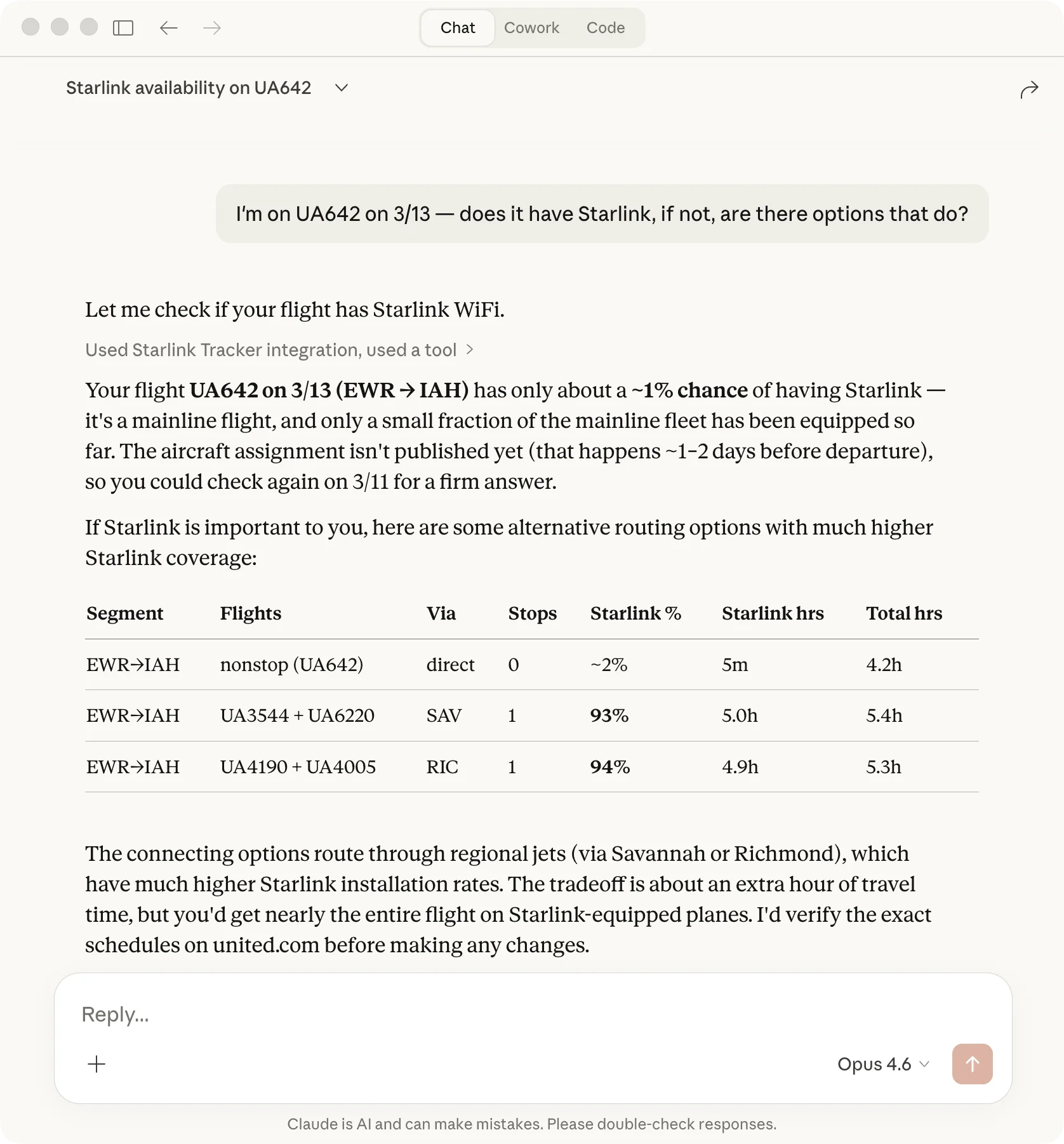
Claude Desktop · Settings → Connectors → Add
https://unitedstarlinktracker.com/mcpTry asking
- "I'm on UA642 on 3/13 — does it have Starlink? If not, what are my options?"
- "Flying SFO to EWR next month — plan me the best Starlink routing"
- "Does UA4680 tomorrow have Starlink?"
- "What's the Starlink install rate on United's fleet?"
Setup walkthrough & other MCP clients
1. Open Claude Desktop → Settings → Connectors → click +
2. Paste https://unitedstarlinktracker.com/mcp and name it "Starlink Tracker"
3. The tools are available in your next chat.
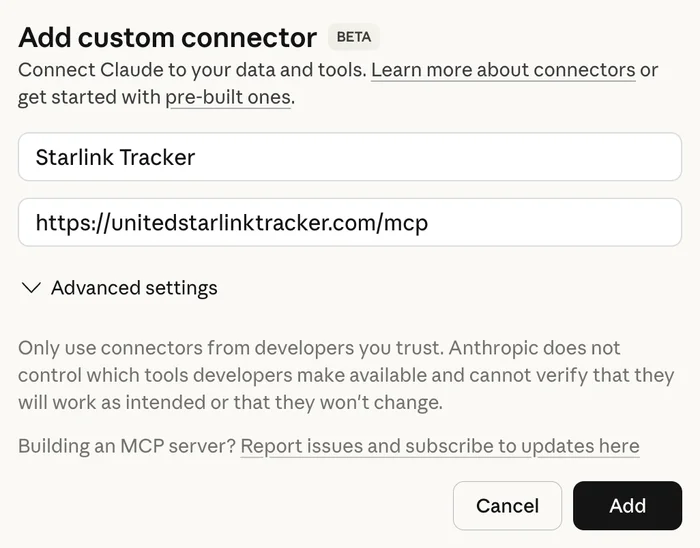
ChatGPT & other MCP clients: same URL, http transport. Standard JSON-RPC 2.0, no auth. In ChatGPT, enable Developer Mode in Advanced settings, then Settings → Connectors → Create. MCP spec →
Claude Code:
claude mcp add --transport http starlink https://unitedstarlinktracker.com/mcpRather use the site? Check a flight or plan a route.